Technician Training for CMMS That Sticks
A CMMS rollout usually does not fail because the software is weak. It fails because technicians are expected to change how they work without clear, practical support. That is why technician training for CMMS has to be built around execution in the field, not a one-time system walkthrough in a conference room.
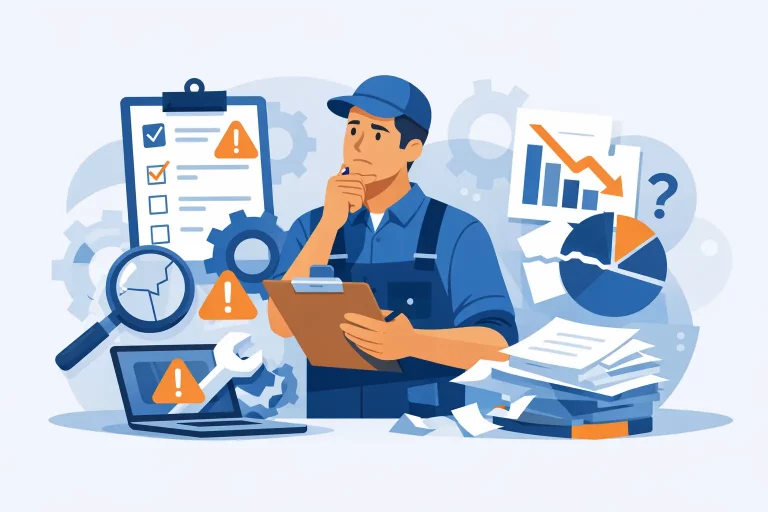
Maintenance leaders see this play out all the time. Work orders stay incomplete, asset histories are unreliable, preventive maintenance tasks get closed with vague notes, and reporting loses credibility. The platform is technically live, but operationally underused. When that happens, the issue is rarely just training volume. It is training design.
Why technician training for CMMS often falls short
Most CMMS training is structured like software orientation. A trainer explains screens, clicks through menus, and shows every available field. Technicians leave knowing where buttons are, but not what good execution looks like under actual operating pressure.
That gap matters. A technician does not experience the CMMS as a set of modules. They experience it while responding to urgent calls, documenting labor, searching for asset records, checking parts, and trying to move to the next task without losing time. If training does not reflect that reality, adoption drops quickly.
There is also a leadership mistake that shows up in many organizations. Managers assume resistance means the workforce is unwilling to use the system. In some cases, that is true. More often, the workforce is reacting to inconsistent processes, poor mobile usability, bad asset data, or unclear expectations. Training alone cannot fix a broken workflow, but poor training will make every workflow issue worse.
What effective CMMS training actually needs to accomplish
Good training is not about teaching every feature. It is about building repeatable behavior that improves data quality, accountability, and execution speed.
For technicians, that means they should leave training knowing how to receive and prioritize work, document the right information, update status correctly, capture labor and parts with reasonable accuracy, and close work in a way that supports planning and reporting. For supervisors, it means they can trust what they see in the system enough to manage from it.
That trust is the real goal. If technicians do not enter consistent information, leadership goes back to side conversations, spreadsheets, and tribal knowledge. Then the CMMS becomes a ticket log instead of an operating system.
Start with workflow, not system navigation
The strongest technician training for CMMS begins with the actual work process. Before anyone builds training materials, the organization should define the standard path for a work order from creation to closeout.
That includes simple operational questions. When does a technician change status from assigned to in progress? What notes are required for a completed PM? When should a follow-up work order be created instead of adding a comment? How should technicians handle asset records that are wrong or missing? What is expected for labor entry if a job is interrupted three times in one shift?
If those answers are unclear, the training will be unclear too. Technicians should not have to interpret policy on the fly. The process needs to be standardized first, then taught in the context of the CMMS.
This is where many implementations lose momentum. Leaders try to train users on a system before they have aligned on the operational rules behind it. The result is predictable: different crews close work differently, data becomes inconsistent, and reporting turns into an argument.
Train by role and field reality
Not every user needs the same training. A frontline technician, a planner, a supervisor, and a dispatcher interact with the same platform in very different ways. When everyone gets the same training deck, nobody gets useful training.
For technicians, training should focus on the exact transactions they perform every day. Assignments, status updates, notes, downtime coding, checklists, labor, parts, meter readings, and closeout quality usually matter more than advanced reporting or administrative settings.
The delivery method matters too. Short, scenario-based training sessions usually outperform long classroom sessions. A technician is more likely to retain a 20-minute exercise built around a real PM route or emergency response workflow than a 90-minute feature review.
Mobile training is especially important. If technicians do most of their work on phones or tablets, training should happen on those devices, in the same environment they use on shift. Desktop-only training creates false confidence. What looks easy at a desk often breaks down in a mechanical room, on a roof, or between service stops.
Focus on the few behaviors that drive most results
Trying to teach everything at once usually leads to weak adoption. A better approach is to define the handful of technician behaviors that matter most to operational performance and train those first.
In many environments, the high-value behaviors are straightforward. Use the correct asset, update work order status in real time, record meaningful completion notes, capture labor consistently, and identify follow-up work correctly. Those actions influence planning accuracy, preventive maintenance compliance, wrench time visibility, asset history, and leadership reporting.
There is a trade-off here. Some organizations want highly detailed data entry from day one. That can be useful in theory, but if the process becomes too heavy, technicians will find shortcuts or skip fields. It is often better to enforce a smaller number of critical fields well than to require twenty fields poorly.
The right level of detail depends on the operation. A healthcare system managing compliance-sensitive assets may need tighter documentation than a light industrial site handling basic facility maintenance. The point is the same in both cases: training should align with business need, not system capability.
Use real examples, not generic exercises
Technicians learn faster when the training reflects the jobs they actually perform. If the team maintains chillers, conveyors, air handlers, vehicles, or specialized production equipment, the examples should come from those assets and work types.
That applies to failure codes, work order priorities, PM checklists, and parts usage. Generic sample data teaches mechanics of the software but not operational judgment. Real examples show technicians what good looks like in their own environment.
This is also where poor master data becomes visible. If training reveals duplicate assets, unclear naming conventions, or incomplete location structures, that is useful. It means the organization has found a barrier to adoption early. Ignoring that issue and pushing training forward anyway usually leads to frustration and lower compliance.
Reinforcement matters more than launch day
One training session will not change field execution. People fall back to old habits fast, especially when workloads are high and supervisors are not reinforcing the new process.
The first 30 to 60 days after rollout are where adoption is either built or lost. Supervisors should review work orders for closeout quality, correct status usage, and missing data. Not to police the team for the sake of it, but to coach quickly while habits are still forming.
This is where simple scorecards help. If technicians know that work order completion notes, labor capture, and PM closeout accuracy are being reviewed consistently, expectations become real. Without that reinforcement, training turns into a suggestion.
Support also needs to be available in the flow of work. That might mean quick-reference guides, lead technicians who can answer process questions, or short refresher sessions based on common errors. The best training programs assume people will need reinforcement and plan for it.
Measure whether the training changed operations
A lot of organizations measure training by attendance. That tells you almost nothing. The better question is whether technician behavior changed in a way that improves system performance.
Look at practical indicators. Are technicians updating statuses on time? Are PMs being completed with usable notes instead of one-word closeouts? Is labor capture becoming more consistent? Are asset histories improving? Are supervisors spending less time chasing basic information? Those measures connect training to business outcomes.
There is also value in identifying where the training did not work. If one site has strong adoption and another does not, compare supervision, workflow clarity, device access, and data quality. The gap is not always a people problem. Sometimes the process around the software is setting one group up to succeed and another up to fail.
For organizations trying to scale across multiple sites, this is where outside support can make a difference. Eficiqo often sees teams invest heavily in software while underinvesting in the operating model required to make technician execution consistent. Training works best when it is tied to workflow design, data standards, and performance management.
CMMS training is really an execution strategy
Technician training for CMMS should not be treated as an onboarding task at the end of implementation. It is part of how you standardize maintenance execution, improve reporting credibility, and create accountability in the field.
When the training is practical, role-based, and tied to real workflows, the CMMS starts to support better decisions. When it is generic, rushed, or disconnected from field reality, the platform becomes one more layer of friction.
If you want stronger adoption, do not ask whether technicians were trained. Ask whether they were trained to execute the work correctly, in the system, under real operating conditions. That is the standard that changes performance.